> For the complete documentation index, see [llms.txt](https://solaartw.gitbook.io/developer/llms.txt). Markdown versions of documentation pages are available by appending `.md` to page URLs; this page is available as [Markdown](https://solaartw.gitbook.io/developer/documentation/utilities-1/deep-asset-discovery.md).
# 3DS
### **Requirements:**
\- 3ds Max 2014-2022 - [WolvenKit.CLI / CP77Tools](https://github.com/WolvenKit/WolvenKit/releases) - [Noesis (64-bit)](https://richwhitehouse.com/index.php?content=inc_projects.php) - [AlphaZomega's Noesis Plugin and MaxScript](https://www.mediafire.com/file/uhc9d68mvj7oqj6/fmt_CP77mesh_1.6.zip/file)
### **Setup:**
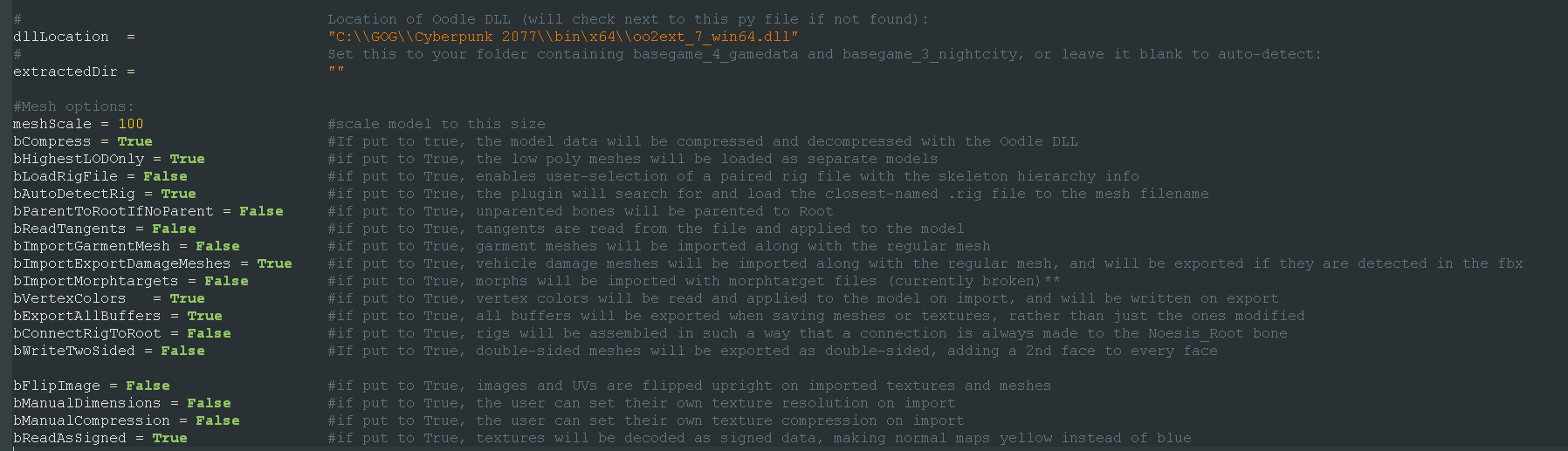
\- Unbundle the game files with WolvenKit.CLI (aka CP77Tools) - Install Noesis and rename Noesis64.exe to Noesis.exe (The original noesis.exe is 32-bit and the Noesis Plugin "fmt\_CP77mesh.py" needs 64-bit) - Place "fmt\_CP77mesh.py" in "noesis\plugins\python" copy "oo2ext\_7\_win64.dll" from "Cyberpunk 2077\bin\x64" and place it in the same folder as "fmt\_CP77mesh.py" The plugin has some customization option if you open it in a text editor. Recommended Settings are:
\- Next place "CP77\_NOESIS\_CMD.ms" in "C:\Program Files\Autodesk\3ds Max 20XX\scripts" - Open "CP77\_NOESIS\_CMD.ms" in a text editor and set your Noesis.exe path.
### **In 3ds Max:**
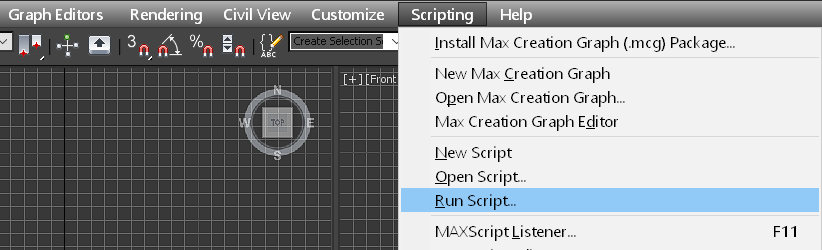
Run the MaxScript from Scripting > Run Script...
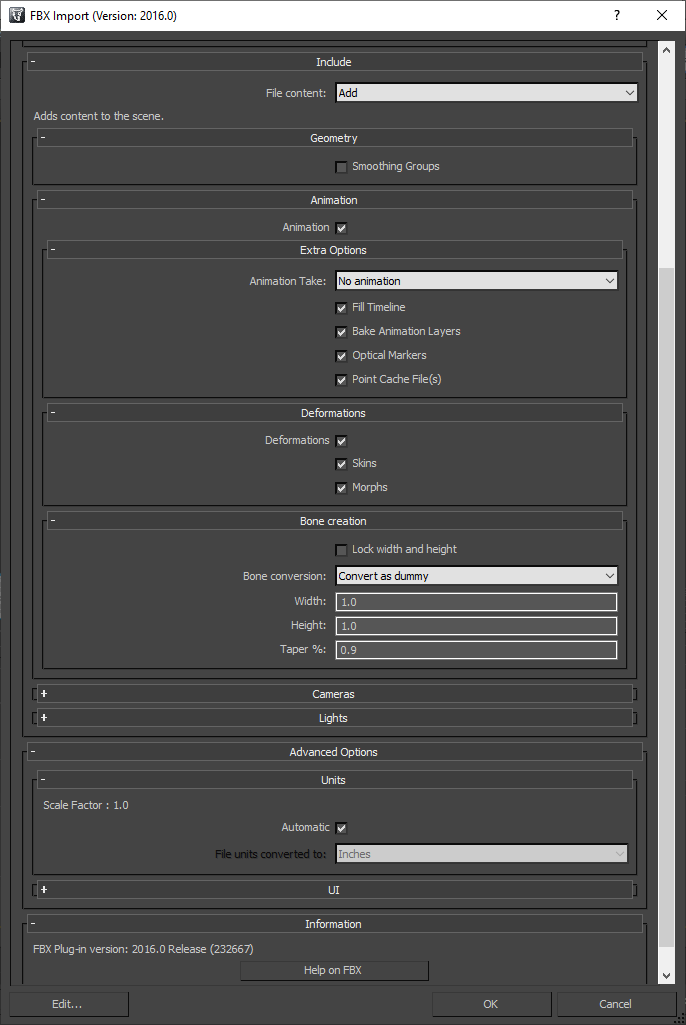
Click on "Import to Scene" and select the .mesh file you want to edit. Your custom settings in "fmt\_CP77mesh.py" will effect the imported mesh. FBX Settings for **Import**:
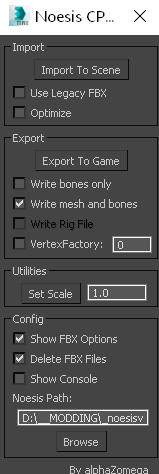
MaxScript Settings for **Export:**
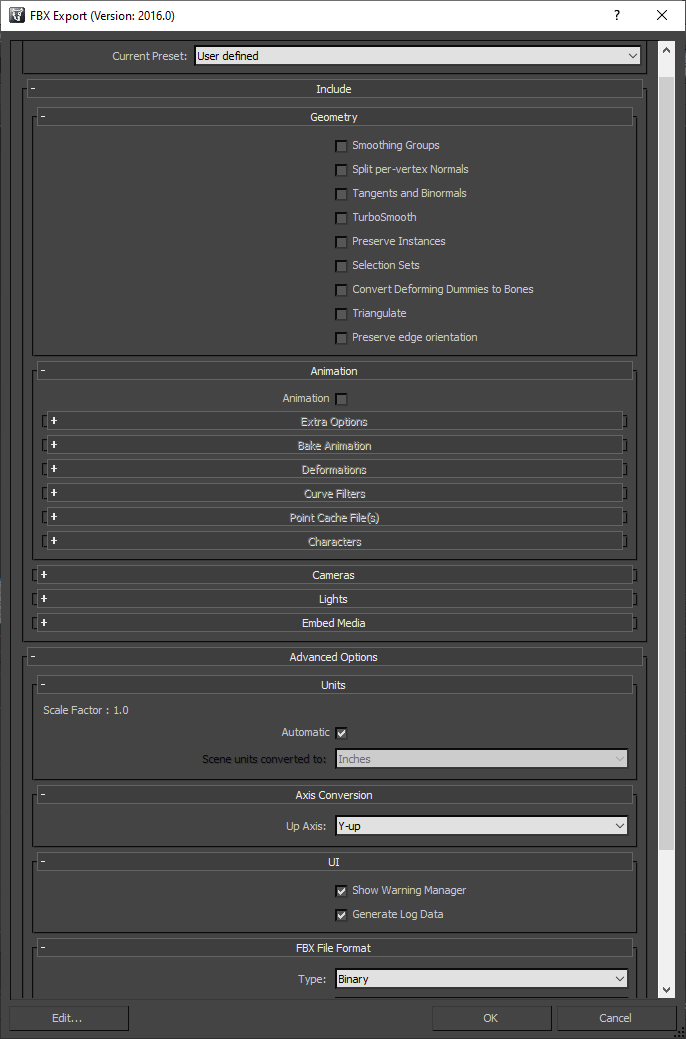
\FBX Settings for **Export:**
\*\*When exporting your mesh the plugin will ask you to select a mesh to export it over, in most cases you should select the original mesh.